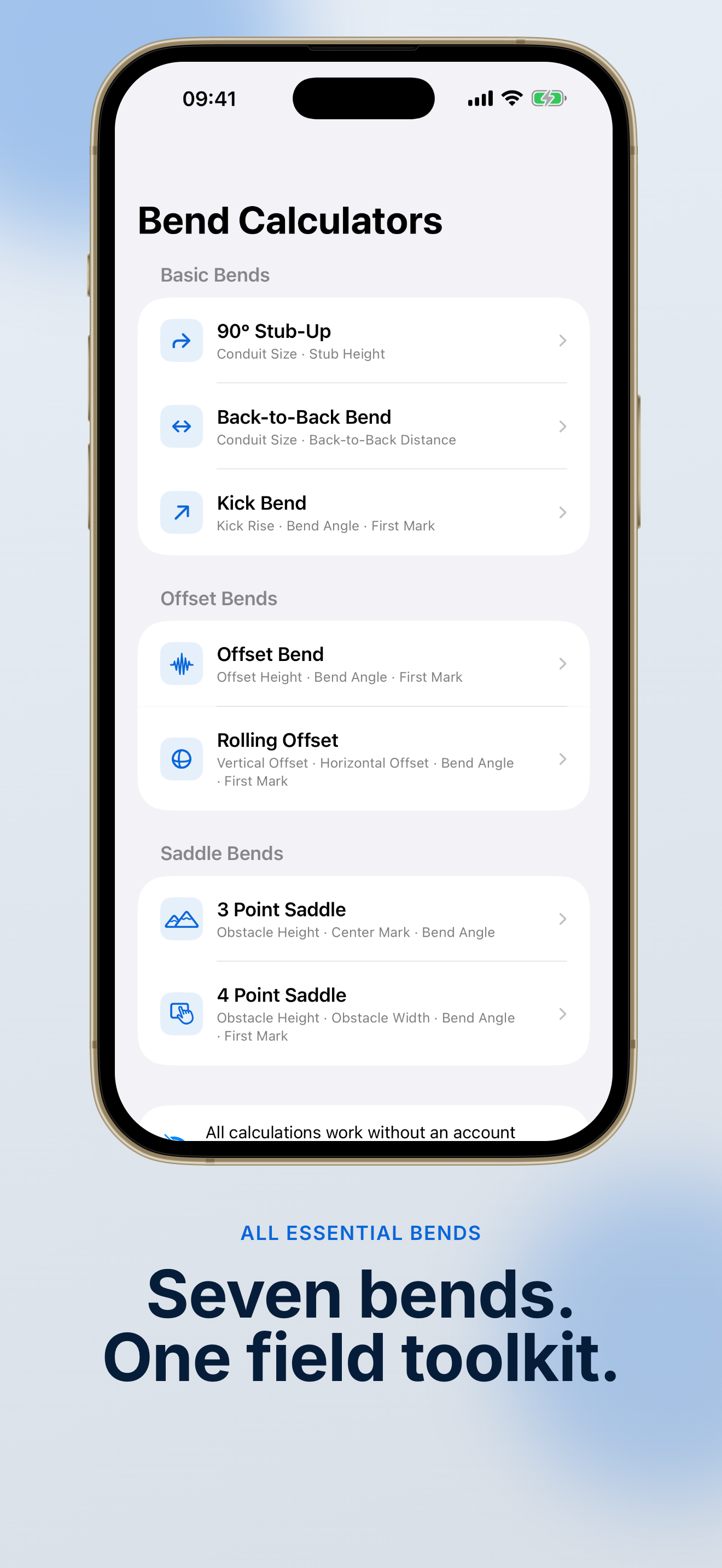
Seven core bend types
Stub-ups, back-to-back, kicks, offsets, rolling offsets, and 3- or 4-point saddles—each with the marks and math electricians actually use.
Professional Conduit Bend Calculator
Stop guessing bend marks in the field. ConduitCue: Bend Calculator gives you instant stub-up, offset, saddle, and back-to-back results with clear shrink, gain, and spacing—plus zoomable live diagrams that update as you type. No account. Fully offline.
Built for electricians, apprentices, maintenance techs, and serious DIY users.
Scroll through real app screens—bend marks, live diagrams, project history, and Pro export tools designed for the jobsite.


From the first measurement to the final bend mark, ConduitCue: Bend Calculator keeps your conduit work accurate, organized, and ready for the field.
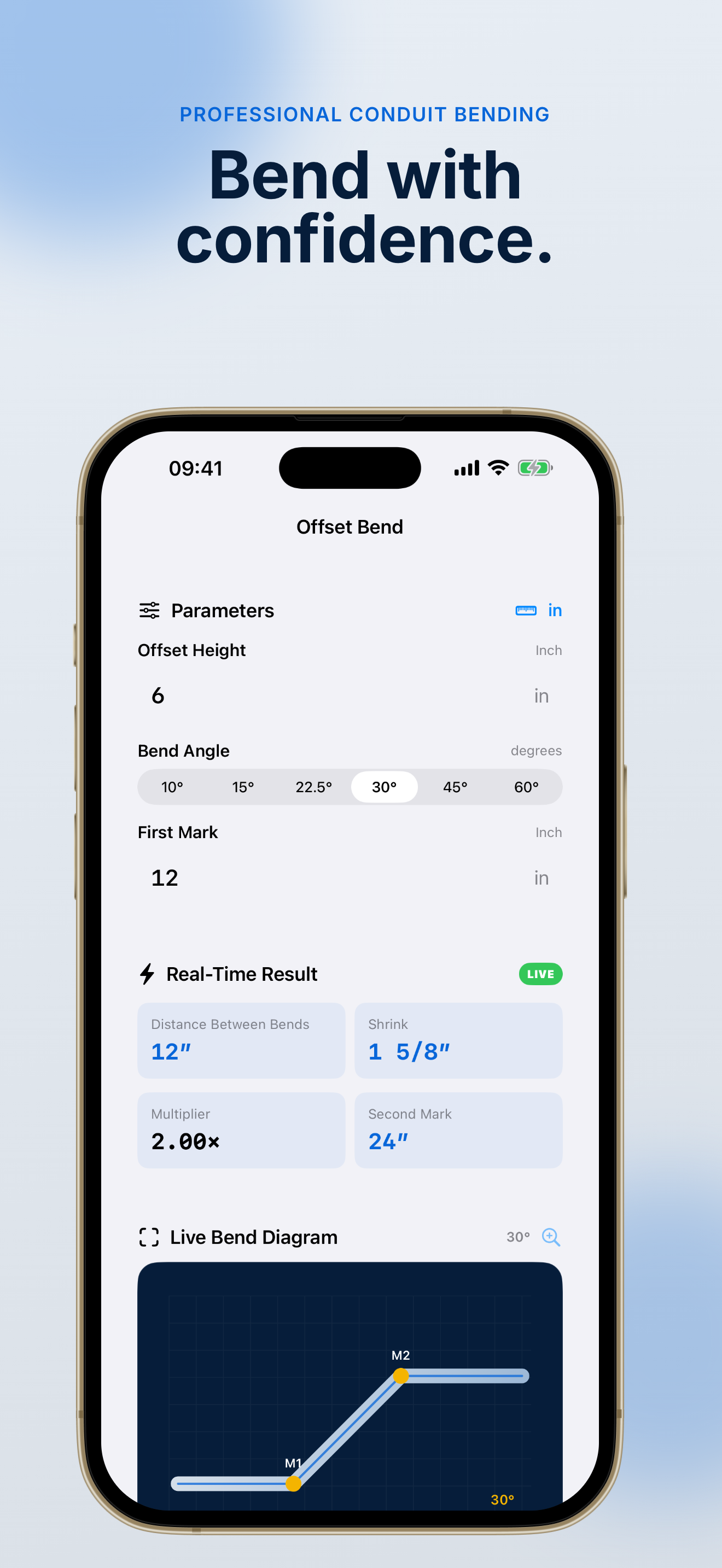
Calculate 90° stub-ups, back-to-back bends, kicks, offsets, rolling offsets, and 3- or 4-point saddles. ConduitCue: Bend Calculator shows shrink, gain, multipliers, and spacing with fraction-friendly inputs—so you mark the pipe once and bend with confidence.

Live, zoomable bend diagrams update as you enter measurements. ConduitCue: Bend Calculator visualizes each bend type so you can spot clearance issues, verify saddle placement, and explain the layout to your crew before cutting conduit.

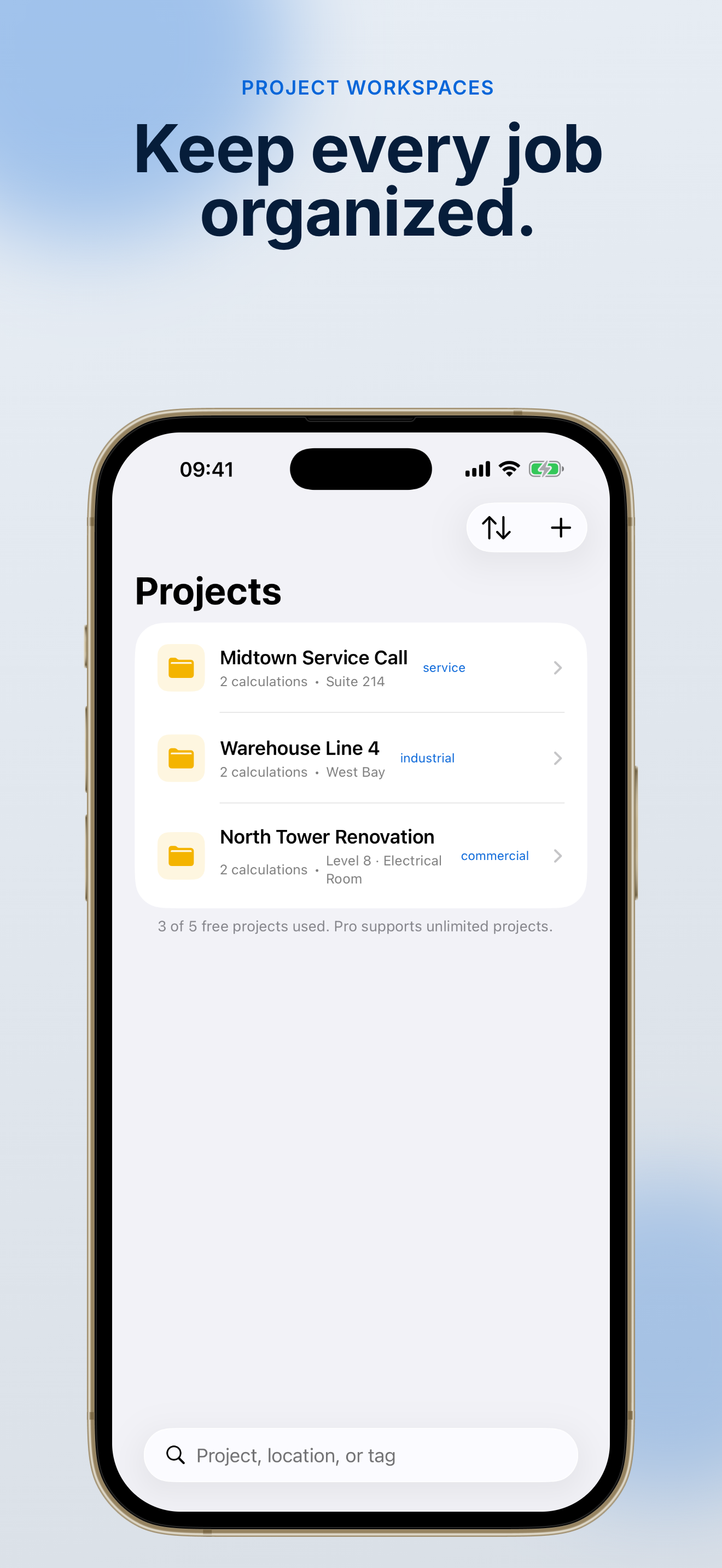
Searchable history, favorite folders, tagged projects, room and floor details, measurement logs, batch offsets, and custom presets keep your conduit work in one place. ConduitCue: Bend Calculator Pro adds cut lists, branded exports, and local backup—still fully offline.

Seven bend types, fraction inputs, and jobsite-ready tools—everything a conduit bend calculator should do, without needing a signal.
Stub-ups, back-to-back, kicks, offsets, rolling offsets, and 3- or 4-point saddles—each with the marks and math electricians actually use.
Zoomable diagrams update as you type so you can verify clearance, saddle placement, and bend sequence before you head to the bender.
Core calculations work without Wi‑Fi or cell service. ConduitCue: Bend Calculator is built for basements, mechanical rooms, and remote sites.
Save up to 30 recent calculations for free. Search past bends, star repeat jobs, and pull marks back up when a layout changes.
Tag jobs by room, floor, or phase. Use quick presets for common angles and pipe sizes so routine bends take seconds, not minutes.
Upgrade to Pro for PDF, PNG, CSV, and XLSX exports, material cut lists with waste planning, parallel offsets, segmented 90° planning, and a calibrated digital level.
Three steps from measurement to bend mark—using the conduit bend calculator electricians reach for in the field.
Open ConduitCue: Bend Calculator, choose stub-up, offset, saddle, or any of the seven supported bend types. Enter your rise, run, angle, or offset in fractions—the same way you measure on site.
ConduitCue: Bend Calculator instantly shows bend marks, shrink, gain, multipliers, and spacing. The zoomable diagram lets you confirm the layout before you mark the pipe.
Always verify bender specs, site conditions, and local code before bending.
Store calculations in searchable history, group them into projects, and reuse presets on the next run. Pro users can export branded reports and material cut lists—still fully offline.
ConduitCue: Bend Calculator never requires an account. Your data stays on your device.
Read FAQCommon questions from electricians about this conduit bend calculator, offline use, and Pro features.
Yes. All core bend calculations, history, projects, and diagrams work fully offline. The only time ConduitCue needs a network connection is when you purchase, restore, or refresh a Pro subscription through the App Store.
ConduitCue: Bend Calculator handles 90° stub-ups, back-to-back bends, kicks, offsets, rolling offsets, and 3- or 4-point saddles. Results include bend marks, shrink, gain, multipliers, spacing, and a live diagram for each type.
No. ConduitCue: Bend Calculator does not require registration or login. Your calculations and project data are stored locally on your iPhone or iPad.
Pro unlocks unlimited history and projects, parallel and segmented bend planning, a calibrated digital level, material cut lists, branded PDF/PNG/CSV/XLSX exports, custom bender calibration, batch offsets, and local JSON backup and restore.
ConduitCue: Bend Calculator is a calculation and visualization aid. Always verify conduit and bender specifications, site conditions, safety requirements, and local electrical code before bending or installing conduit.
Pro is available as a monthly subscription ($2.99/month), annual subscription ($14.99/year), or one-time lifetime purchase ($29.99). Subscriptions renew automatically unless canceled at least 24 hours before the end of the current period. Manage or cancel in your App Store account settings.
Get accurate EMT bend marks, live diagrams, and jobsite-ready project tools on your iPhone or iPad.
Free to download. Core calculations work offline—no account required.
ConduitCue: Bend Calculator is a calculation aid. Always verify marks against bender specs and local code.